Chase, Navigation Refresh | UX/UI/Customer Research
Role: Content Design, Content Strategy
Team: Loyalty — Rewards
Timeline: Q1-Q2 2021
Tools: Figma, JIRA, Confluence, UserTesting
As part of an early UX/UI audit, I had identified the Ultimate Rewards navigation as a major pain point. The previous iteration was, on web, a fully exposed menu of over 15 options, with no hierarchy or clear grouping. On mobile and tablet, a hamburger menu opened to display a similar jumble.
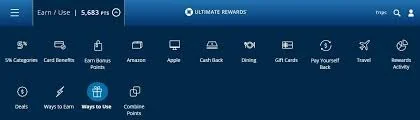
Legacy Ultimate Rewards navigation (desktop).
Through collaboration with product partners on a refreshed taxonomy and information architecture, I was able to create a more organized pattern for the nav that took users through separate point management and redemption actions. To make the journeys clearer, we explored using descriptive, verb-lead labels in place of surfacing redemption names straight up.
After receiving signoff from senior stakeholders across product LoBs, my team conducted customer research sessions with over 20 real Chase customers using card sort exercises to determine the optimal combination of labels and design for the uplifted nav.

Uplifted desktop view with exposed H2s.


Customer feedback has shown that while the desktop version of the navigation has been well received, users accessing the rewards experience through their phones still have trouble finding this more compact version of the nav.
In an effort to ease this friction, we developed a ‘redeem-only’ version that customers can access by entering through their account dashboard or the Chase Benefits experience. This alternate navigation elevates the most popular redemption options, but also gives users the option to see their rewards overview on the homepage.
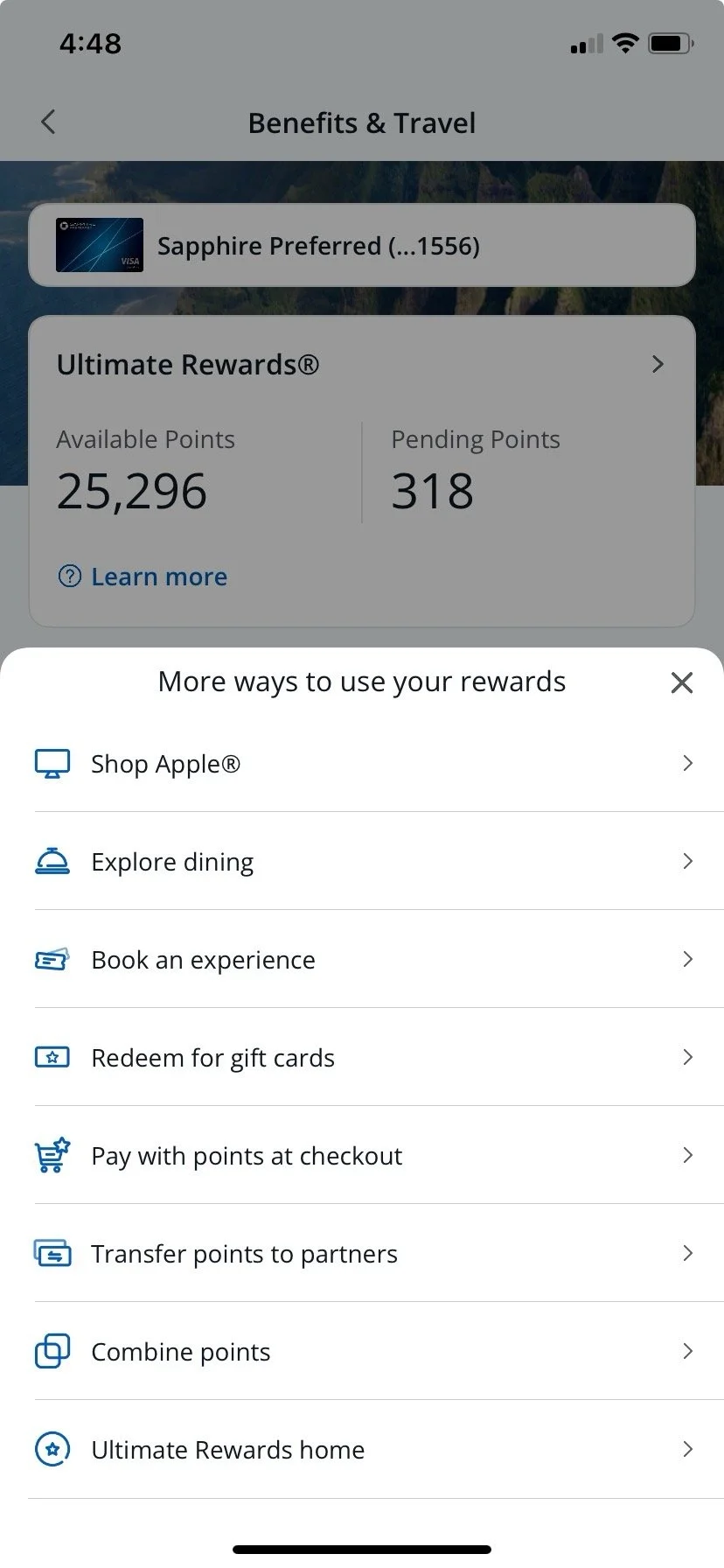
The redeem-only menu, an alternate navigation pattern.
